Lives in your cloud
Point it at any folder, including one OneDrive or Google Drive already syncs. Your code stays in storage you own.
Direct Drive connections: coming soonGit-style version control for the cloud you already use
Branch, commit and review from a folder you already own. RakkoHub gives it real history, pull requests and a beautiful web view, with no new place to keep your files.
In your terminal
The same rhythm as git, with a tiny binary and no setup to speak of.
In your browser
Noah wants to merge 3 commits from feature/refunds into main
Code review
Default reviewers are asked automatically. A pull request merges only when the rules you set are met: required approvals, a default reviewer’s sign-off, no conflicts.
The command line
Pick a command to see it run. The output is copied from the real thing.
$ rakko init
Initialized empty rakko repository in ~/app/.rakko
Created .rakkoignore (edit it to choose what RakkoHub should not track)
init Turn any folder into a repository. A starter .rakkoignore keeps junk out.
In the browser
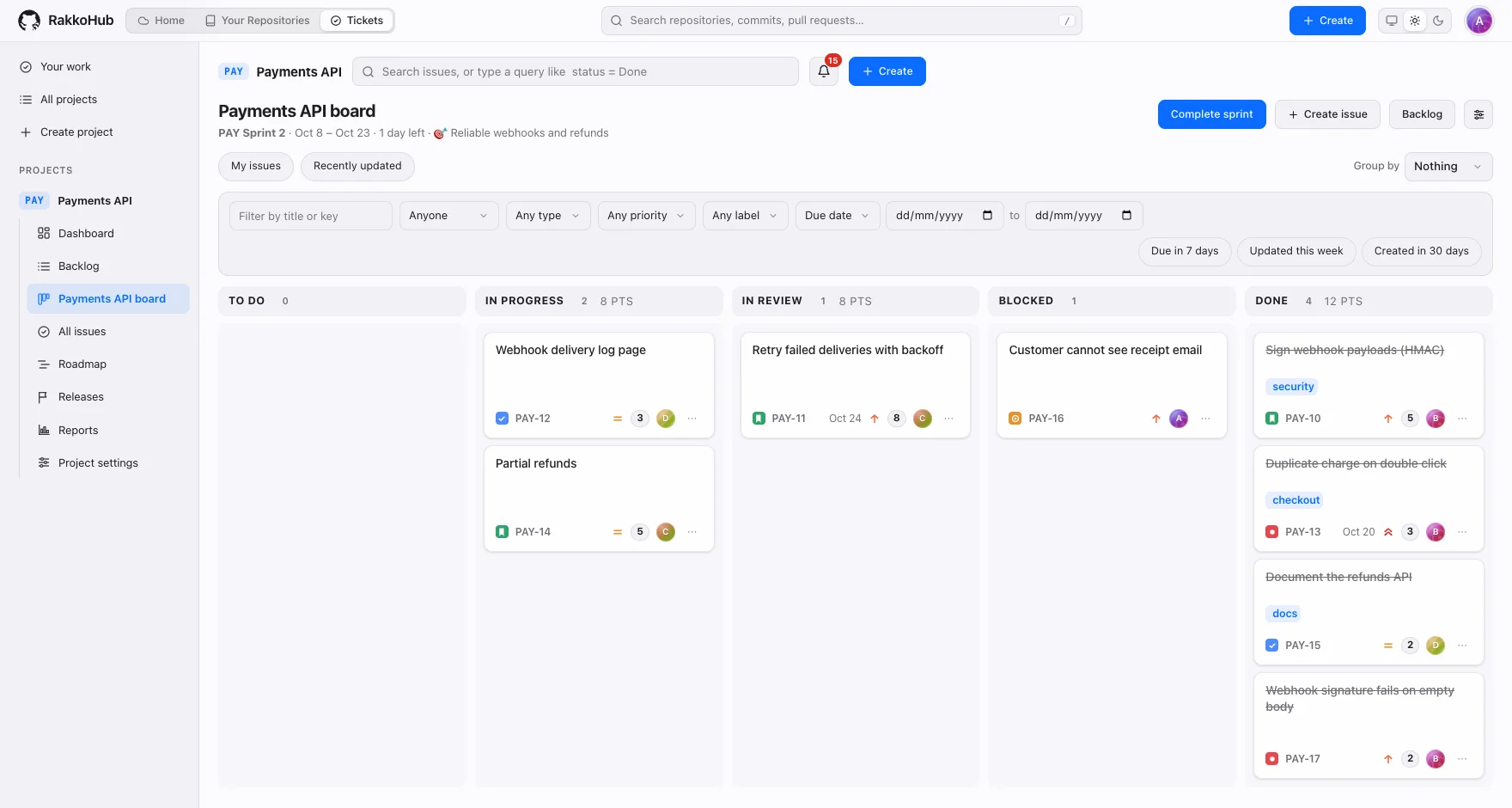
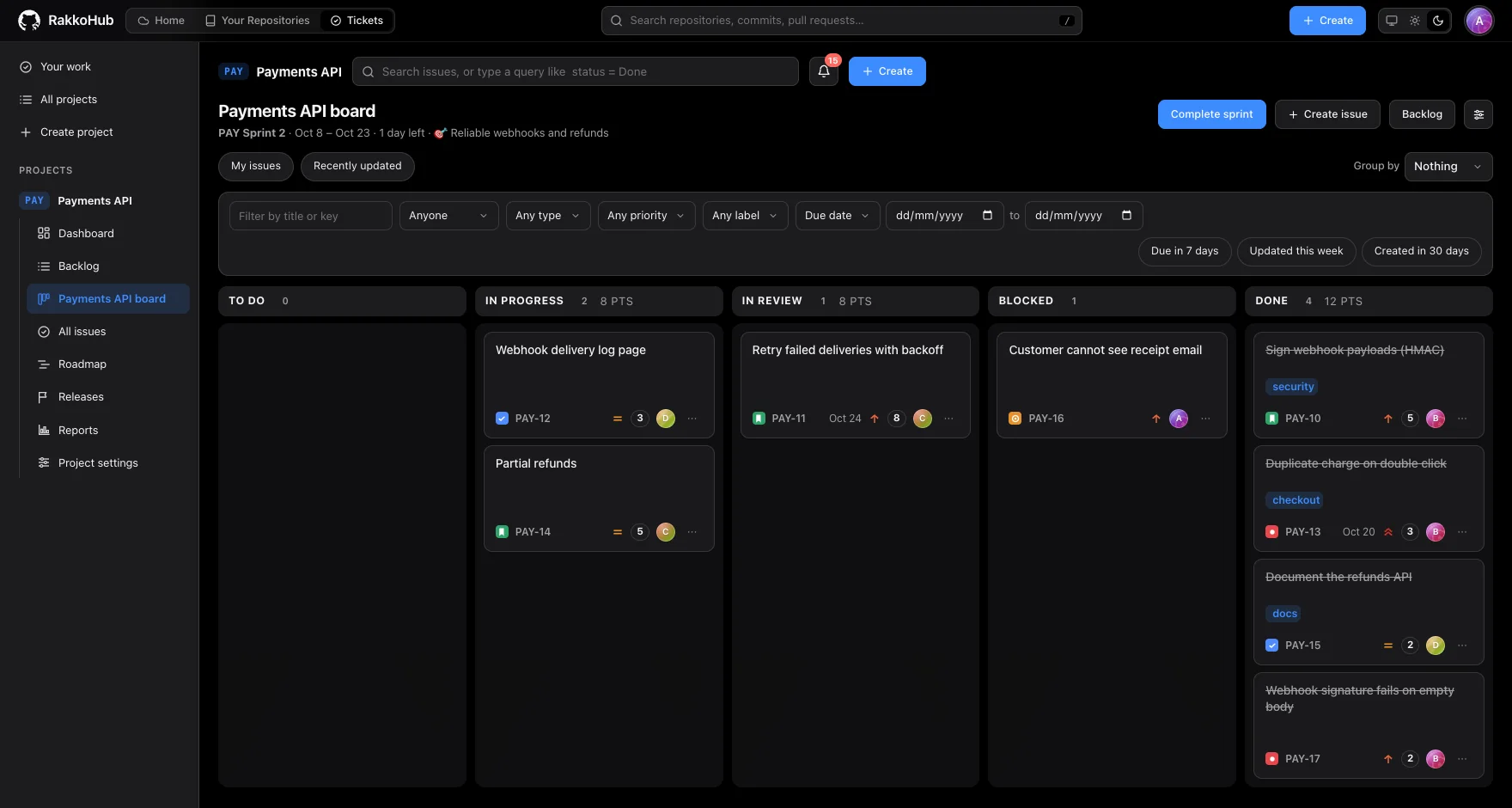
Code, history, reviews and tickets in a single app. It follows your light or dark theme.
VS Code extension
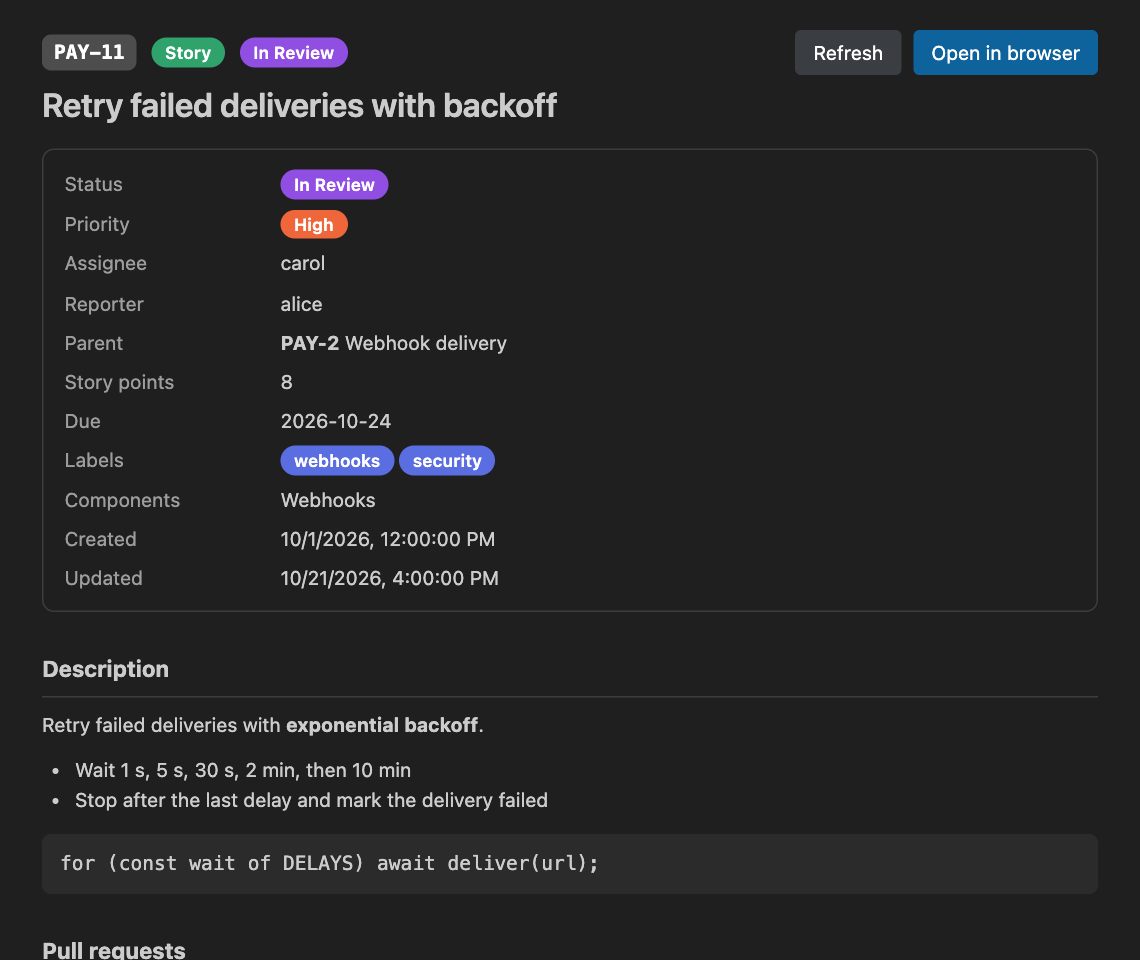
See what changed, switch branches, stash, commit and read the ticket for the branch you are on, right next to the code.
rakko for anything that touches your files, so HTTPS, SSH and folder remotes all work the same.cd apps/vscode && pnpm install && pnpm packagecode --install-extension rakkohub-0.1.1.vsixNeeds the rakko command on your PATH. Press F5 in apps/vscode to try it without installing. Only VS Code has an extension so far; the same two interfaces (the command and the REST API) are documented for other editors.
Everything in one place
Point it at any folder, including one OneDrive or Google Drive already syncs. Your code stays in storage you own.
Direct Drive connections: coming sooninit, add, commit, branch, push, pull, clone. If you know git, you already know rakko.
A live commit graph with branches and merges, diffs side by side, and a file browser with blame-free context.
Open, review, approve and merge, with required approvals and conflict checks.
Read, write and admin per repository. Private repos stay invisible to everyone else.
Commits, pull requests, files and code from one box. Press / anywhere.
Import an existing git repository, branches and merges included. Git itself is only ever read.
A single ~3 MB Rust binary. Content-addressed objects that sync without corrupting.
Security
Source code is the one thing you can’t take back once it leaks. RakkoHub is built so the safe path is also the easy one.
A private repository doesn't exist for anyone you haven't added. Outsiders get “not found”, not “forbidden”, so even its name stays secret.
For repositories on a RakkoHub server, every push and clone goes through the server, which checks your role and your token on each request. The command line can't skip a rule, because it never gets to enforce one.
Personal tokens are read-only or read-and-write, expire, show when they were last used, and are revoked in one click. Only a hash is stored, and the secret is shown once.
Hand a server or a colleague a token for a single repository: they can clone it with no account and nothing else. It can move code but can't change settings, members or approvals.
Pushes only ever add to the history already there: no force pushes. Protected branches take no direct pushes at all, not even from admins. Changes arrive by reviewed pull request.
Every uploaded object is verified by its fingerprint and structure. Hostile file names, oversized uploads and decompression bombs are refused before anything is stored.
Pushes, merges, permission changes and token activity are recorded in an append-only log that repository admins can read. Tokens never appear in it.
The command line sends a token only to the server it was issued for, only over HTTPS (plain http is allowed just on your own machine), and never inside a URL.
Who it’s for
Real version history for projects that live in a synced folder, without learning a new hosting service or moving your files.
Pull requests, reviewers and roles for a handful of people, with a repository token to give a build server read access.
Keep source in storage you control, with private repositories, protected branches and an audit trail on top.
Why RakkoHub
How it works
rakko init
rakko add .
rakko commit -m "First commit"
Works in any project folder. A starter .rakkoignore keeps junk out.
rakko remote set ~/OneDrive/projects/app
rakko push
Immutable objects are uploaded first and the branch pointer moves last, so a crash can't corrupt anything.
Sign in → Repositories → app
Browse code, follow history, open pull requests and decide who has access.
Get the command line
One small binary, written in Rust. It isn’t on a package manager yet, so you build it from source.
cargo build --releasecp target/release/rakko /usr/local/bin/rakko --helpRoadmap
Questions
Any folder those apps already sync works today: point a remote at it like any other folder. Direct connections to the OneDrive and Google Drive APIs are on the roadmap, so for now it uses the sync client you already have.
Yes. `rakko import-git` copies every commit and branch, with authors, dates and messages. Git itself is only ever read, so your original repository is untouched, and you can re-run it to pick up new commits.
A repository admin creates a repository token (read-only or read-and-write, with an expiry). Anyone holding it can clone that one repository with `rakko clone <address> --token <token>`, with no sign-in. It can't see any other repository.
Revoke it: it stops working immediately. Tokens expire on their own, can only reach what they were made for, and are never stronger than the person who created them. The activity log shows what was done with them.
Yes. Deleting moves a repository into a recovery folder instead of erasing it, and a site administrator can restore it with its pull requests and settings.
Not yet. It's planned. Today you get the command line and the web app.
Create an account, import a repository, and see your project the way it deserves to be seen.